The Studio
The Studio is where you model a voice agent: its conversation, tools, state and tests. It is served by the ADK web UI:
cargo run -p gemini-adk-web-rs# → http://localhost:25125/studio (/flows opens it too)Everything in the Studio edits one SessionSpec
document. The canvas, the forms and the JSON view are three views of that
document. Nothing is interpreted in the browser: validation, tests,
step-through, code generation and versions all run on the SDK’s own spec
machinery through the server, so the Studio shows what a runtime would do.
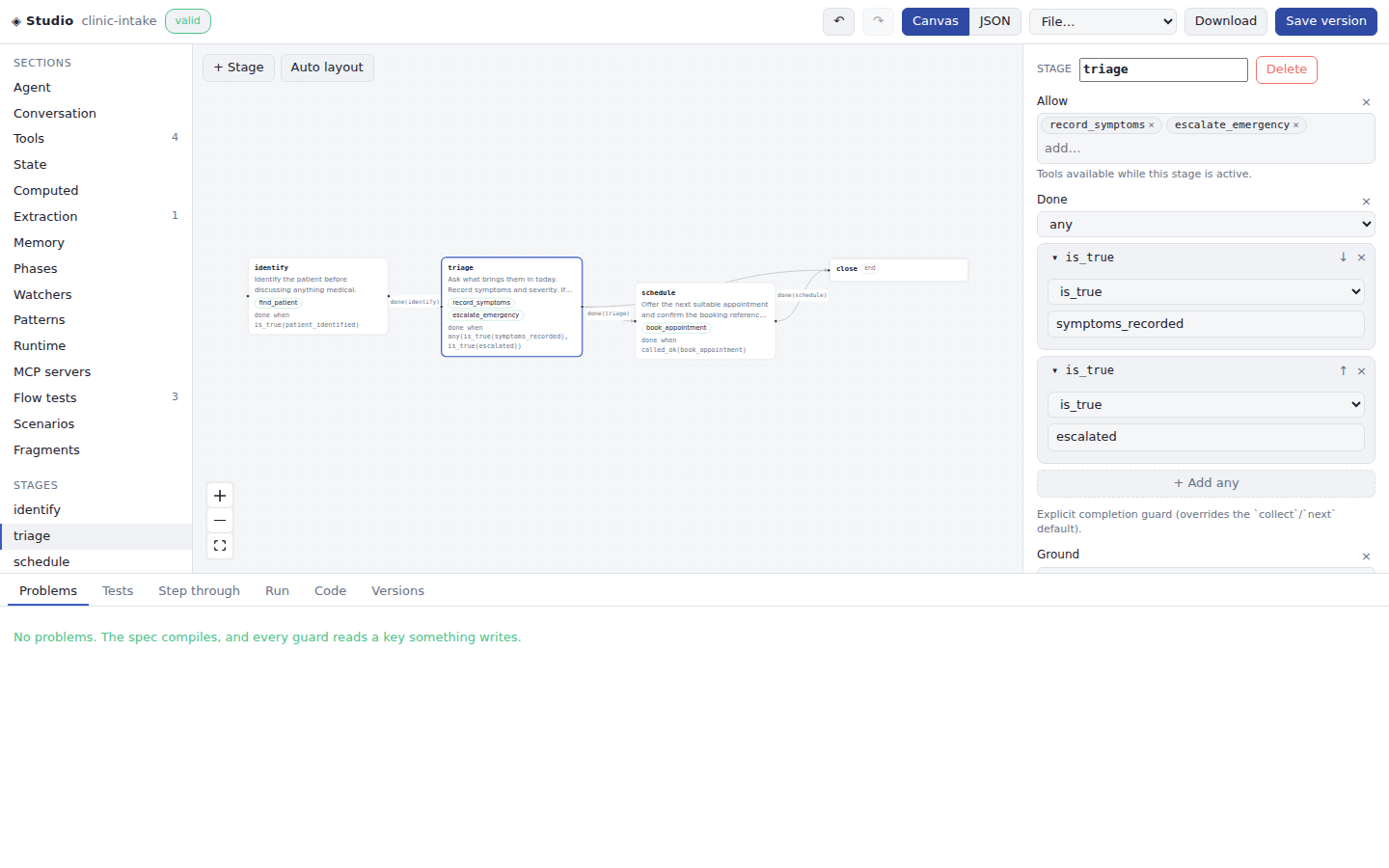
Layout
Section titled “Layout”- Sections (left) are the parts of the spec: the agent itself (instruction, greeting, modality, voice), the conversation or flow, tools, state, computed values, extraction, memory, phases, watchers, patterns, runtime tuning, MCP servers, flow tests, scenarios and fragments. Below them, every stage or step.
- Canvas (middle) shows the conversation as a graph. Stages of a
conversationare nodes, and their guardednexttransitions are edges. In aflow, steps are nodes andafterdependencies are edges. Dependencies are dashed, and repair escalations are dotted. Each node shows its instruction, the slots it collects, the tools it allows, a confirm-before-act commit, and its completion guard. To connect two nodes, drag from a node’s right handle to another node. To remove a node or edge, select it and press Delete. Auto layout arranges the graph. JSON switches the canvas to the whole document, which you can edit directly. - Inspector (right) edits whatever is selected: a section, a stage, or a transition’s guard.
- Dock (bottom) holds Problems, Tests, Step through, Run, Code and Versions.
Undo and redo cover every edit (Ctrl+Z, Ctrl+Shift+Z). Consecutive keystrokes in one field count as one step. The working document is kept in the browser across reloads. Edits, loads, undo, and redo invalidate validation, test results, replay snapshots, and generated code for the previous revision.
Forms come from the spec’s schema
Section titled “Forms come from the spec’s schema”The inspector’s forms are generated from the spec’s JSON Schema
(GET /api/flows/schema, also adk spec schema), so a field added to
SessionSpec appears in the Studio without UI work. An object shows its
required fields and the optional ones already set. The rest are one
Add field away, which keeps large sections readable. Guards are chosen
from their closed vocabulary (is_true, captured, called_ok, all,
any, not, and the rest). Fields that name something else in the spec
suggest the names that exist: tool names for allow and commit, stage ids
for to and after, state keys for is_true and collect. Every
description comes from the SDK’s own documentation.
A spec that uses a step flow can be converted in one click (To
conversation). Steps become stages, and each dependency becomes a
transition guarded by its source’s completion and, for a conditional edge,
by the edge’s condition.
Problems, tests and step-through (no API key)
Section titled “Problems, tests and step-through (no API key)”The document is validated as you type. Problems lists what fails to compile and every guard that waits on a state key nothing writes.
Tests runs the spec’s flow tests (scripted user, tool and set
events with expectations) and its conversation scenarios offline, through
the real flow stack and conversation simulator. Embedded flow tests on a
conversation include its digressions and repair policies. These tests use
declared mock tool effects and supplied state; they do not run model
extraction, phase callbacks, external services, or audio.
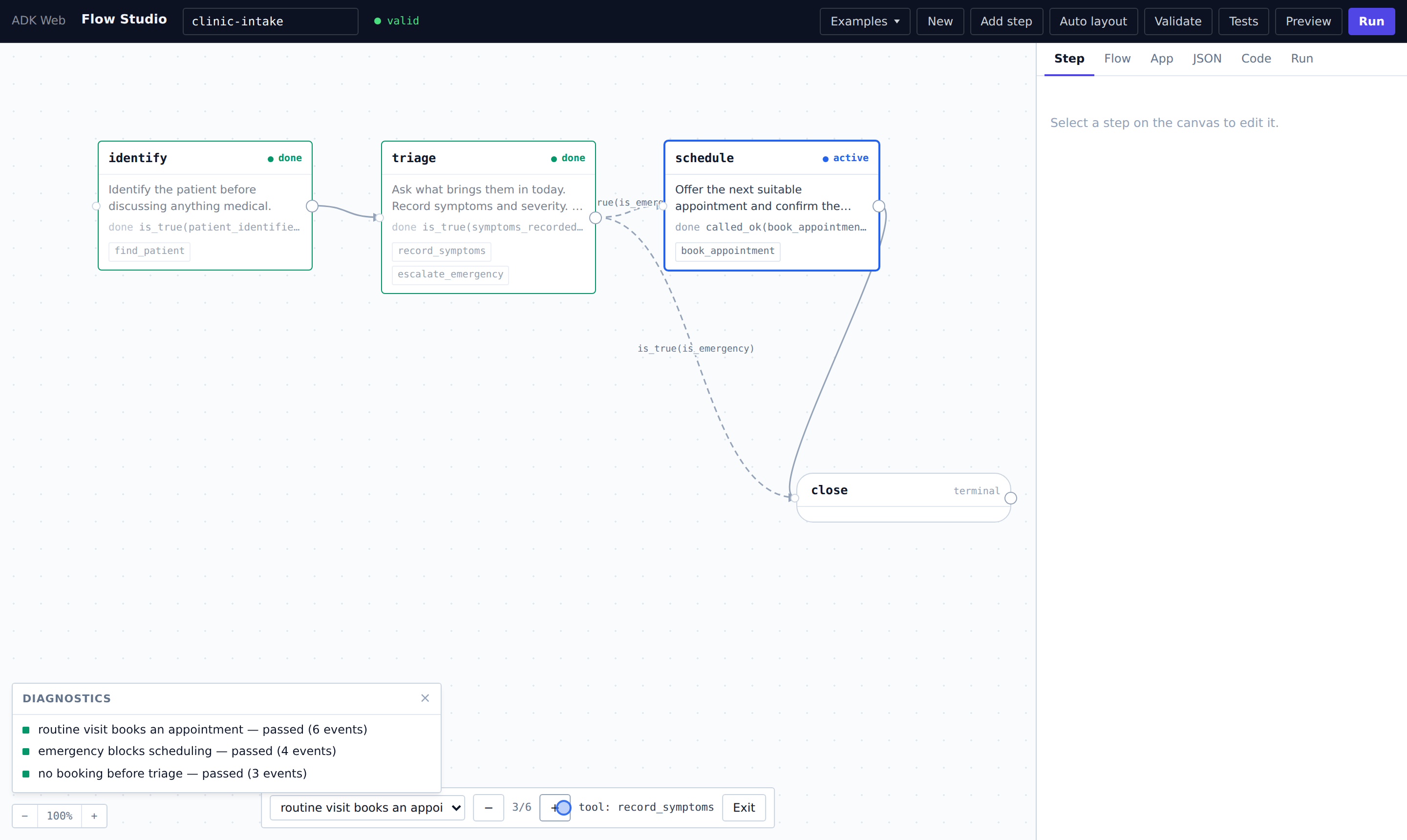
Step through replays one flow test event by event. As you scrub, the canvas marks active and done stages, and the panel shows admitted and blocked tools and each active stage’s guard truth tree: exactly which atom it is waiting on.
Status identifies the active digression path and distinguishes whole-stack completion from termination. A finished digression can still be showing its closing turn before the main conversation resumes. Live and replay status are kept separately, so scrubbing a test does not overwrite a running session’s observations.
Run: a live session
Section titled “Run: a live session”Run starts a text session with the document over /ws/flow-studio. The
transcript shows the agent’s replies and every tool call with its result,
including calls the flow refused and the reason. The canvas and the side
panel track the live flow state. Posture and grounding edits made while a
flow session runs can be sent for the next turn. Switching dock tabs or
collapsing the dock keeps the session connected. Use Stop to end it.
Changing the document does not reconfigure the running session; Run identifies
that it uses an earlier revision, and its status no longer colors the edited
canvas. Restart to apply structural changes.
Current Live models answer in speech only. A text session asks for audio with its transcription, and shows the transcript as the reply.
The spec a live run uses comes from the browser, so the server runs it
sandboxed (SessionSpec::sandboxed):
mcpentries are dropped.- Tools with an
httpbinding run as mocks: they return their cannedresponseand still writeset_state, so the flow behaves as it would offline. - The Run pane shows which bindings were disabled.
To let live runs call real services, the operator lists what is allowed when starting the server:
FLOW_STUDIO_ALLOW_HTTP="https://api.example.com/,https://staging.example.com/v2/" \FLOW_STUDIO_ALLOW_MCP="https://mcp.example.com/sse" \cargo run -p gemini-adk-web-rsHTTP bindings are matched by URL prefix. Scheme, host and port must match
exactly, and a prefix given without a path gets a trailing /. URLs are
normalized before the path is compared, so .. and %2e%2e segments cannot
climb out of a prefix such as /v2/. The check runs again on every call,
after arguments are interpolated, and on every redirect: a request or
redirect that leaves the allowlist fails the tool call. MCP entries are
matched exactly.
Code: a project around the spec
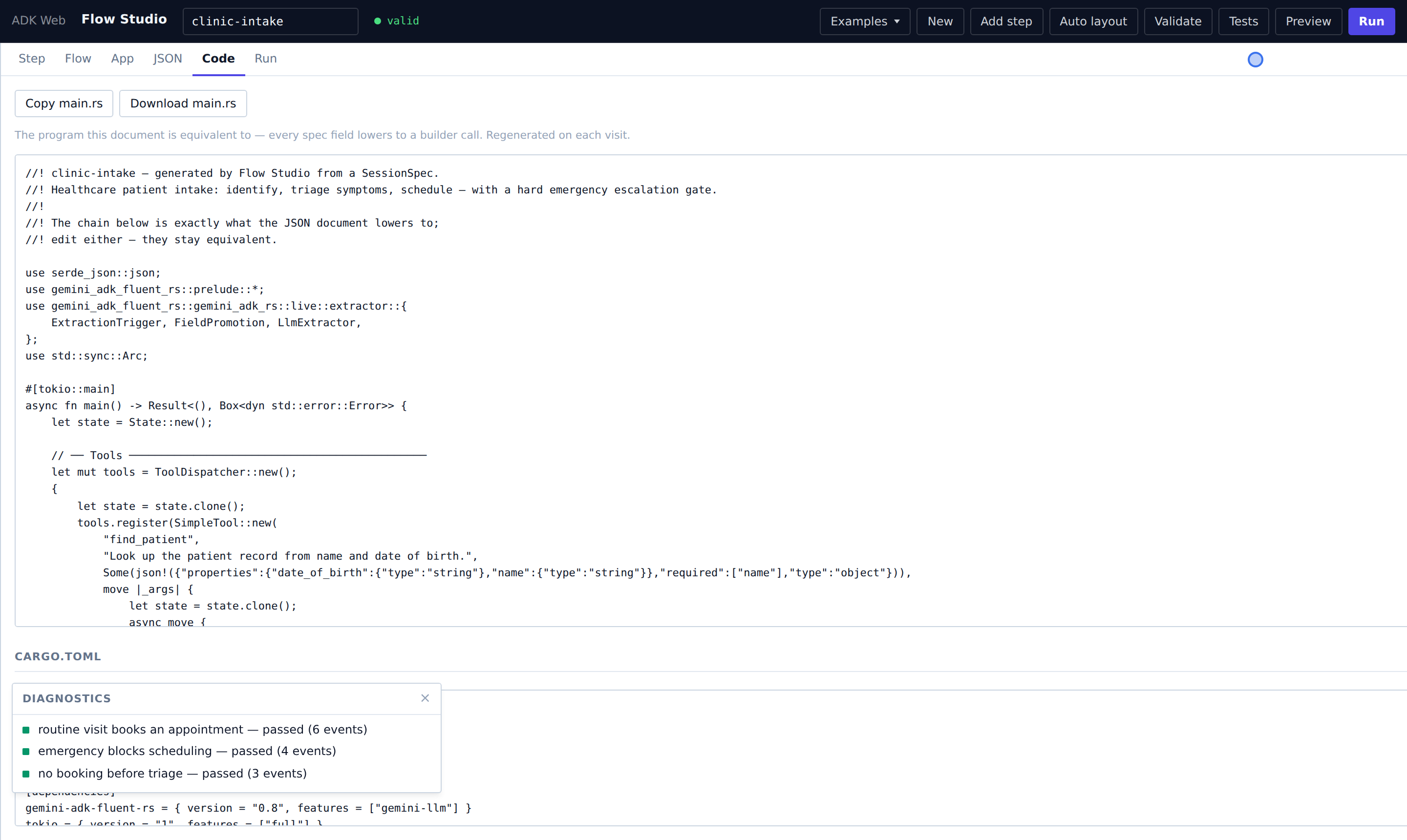
Section titled “Code: a project around the spec”Code shows the project adk spec codegen writes for this document, in
Rust, Python or Go, and downloads it as a zip. Each project keeps
agent.json as the agent and adds one typed function per mock tool. See
From a spec to a project.
Versions: save, promote, roll back
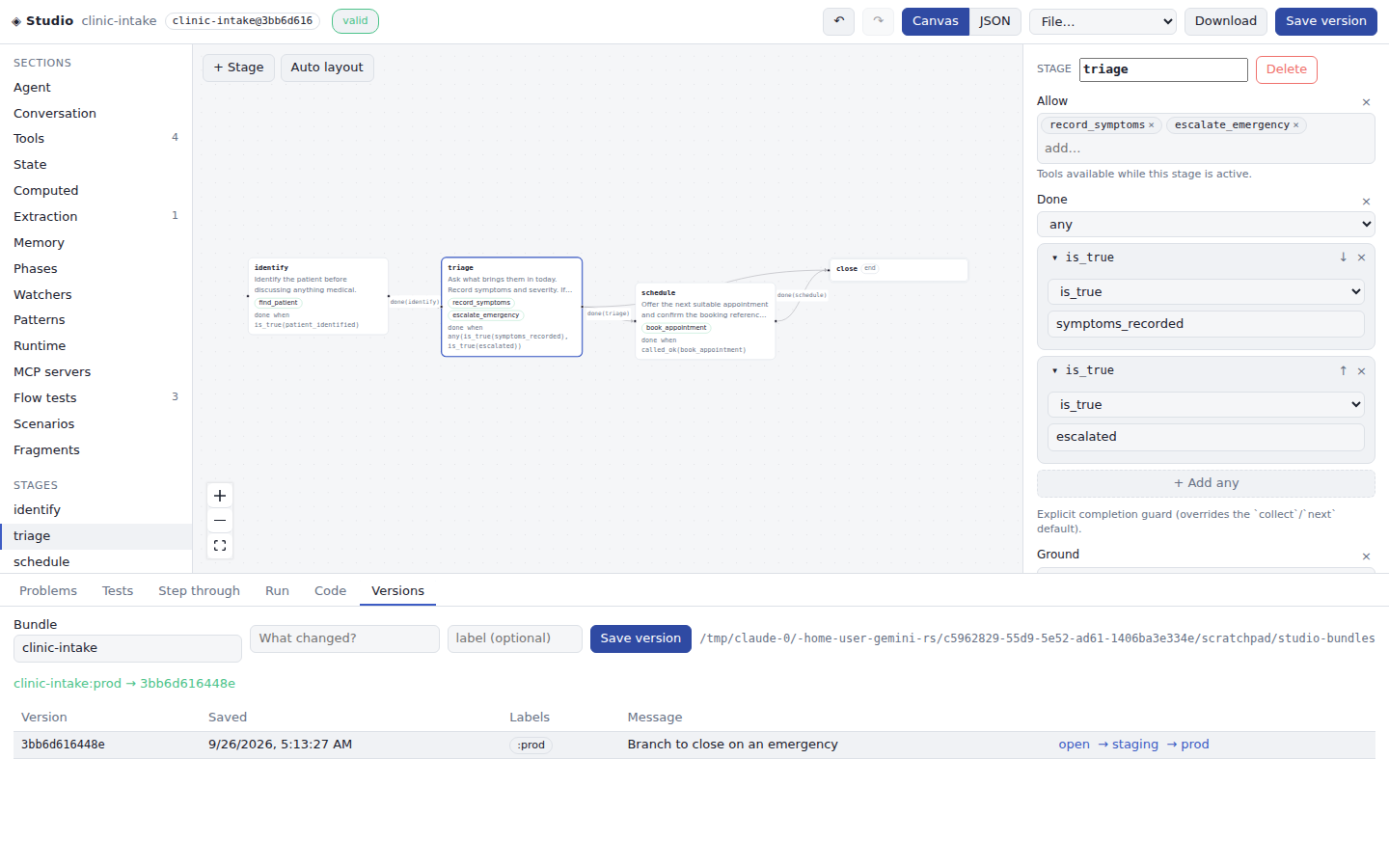
Section titled “Versions: save, promote, roll back”Versions saves the document to the bundle store as an immutable version,
optionally with a message and a label. It lists the versions and their
labels. Any version can be opened, or pointed to by staging or prod. A
runtime serving name:prod picks up the change for new sessions. See
Storing and promoting specs. The server’s store
is ADK_BUNDLES: a directory (default ./bundles) or a gs:// bucket.
Developing the Studio
Section titled “Developing the Studio”The front end is a TypeScript, React and Vite app in apps/studio. Its
production build is committed to apps/gemini-adk-web-rs/static/studio, so
running the server needs no Node. CI rebuilds it and fails if the committed
build is stale.
npm --prefix apps/studio cinpm --prefix apps/studio run dev # hot reload; proxies the API to :25125npm --prefix apps/studio test # unit tests for the spec and graph logicnpm --prefix apps/studio run build # refresh the committed buildThe cookbook gallery
Section titled “The cookbook gallery”Seven assistants ship under File → Multi-capability examples, each a complete
SessionSpec with several reusable skills, controlled business tools, governance
constraints, and embedded workflow and task tests:
| Cookbook | Industry | Highlights |
|---|---|---|
| Collections | Financial services | payment, hardship, disputes, history, public help; speech corrections revoke pending payment approval |
| Clinic intake | Healthcare | intake, appointment changes, public information, callbacks, documents; urgency extraction gates routine booking |
| Telecom support | Telecom | diagnostics, outages, ticket status, plans; re-test reopens diagnostics |
| Call screening | Front desk | screening, office information, callbacks, message status, appointment requests; sticky spam verdict |
| Returns desk | E-commerce | returns, tracking, exchanges, policy; verified eligibility and approved refunds |
| Restaurant | Hospitality | bookings, reservation changes, menus, events, memory-backed preferences; computed party policy and reminders |
| Support assistant | General support | billing, FAQ, diagnostics, human handoff; child tasks resume their parent |
Original workflow references preserves the six earlier single-workflow examples. Select a skill to edit its extraction, computed fields, watchers, patterns, or memory. In Tasks, Test a conversation turn runs controlled service fixtures through the runtime. Run uses the configured extraction model and memory engine. Studio memory belongs to the current connection.
The manifest lives at
apps/gemini-adk-web-rs/static/examples/flows/index.json; the JSON documents
next to it double as starting points for your own flows — import, edit,
re-export.